Static vs dynamic file analysis represents one of the most fundamental decisions in building a malware detection pipeline. When a user uploads a file to your application, how do you determine whether it's safe? Do you examine the file's code and structure without executing it, or do you run it in a controlled environment and watch what happens? The answer isn't always straightforward, and most production systems benefit from understanding both approaches deeply.
For security-conscious developers and IT admins, picking the wrong method (or relying on only one) can leave dangerous blind spots. The stakes are real: a single malicious file slipping through can compromise an entire infrastructure.
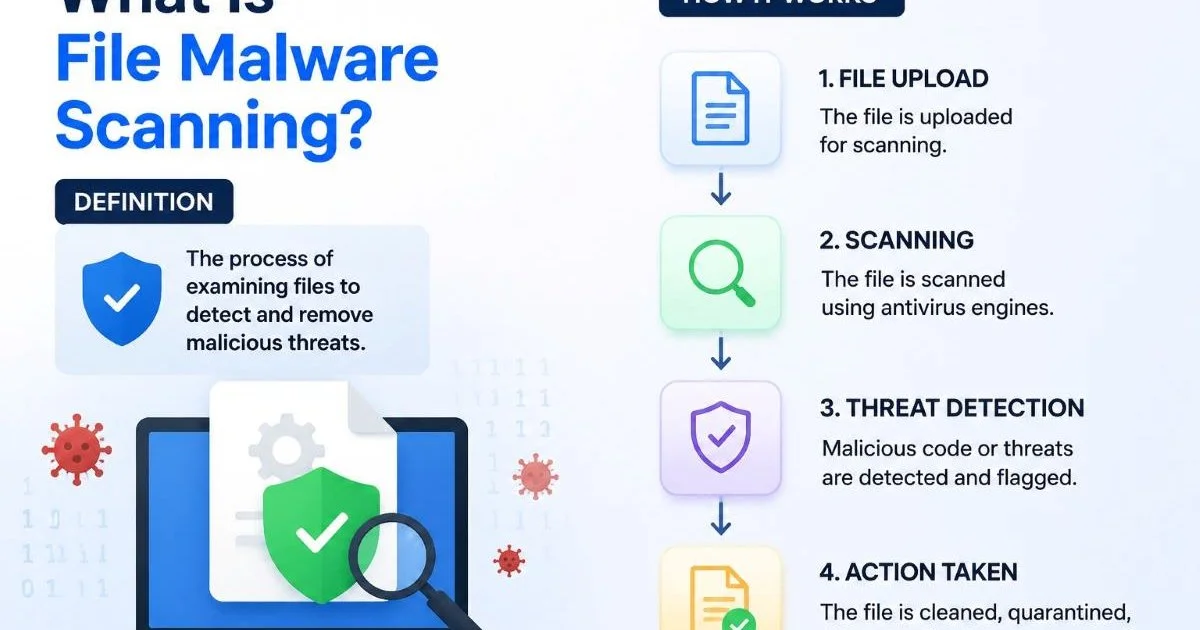
This article breaks down both scanning approaches across clear criteria so you can make an informed architectural decision. If you're new to the broader topic, our guide on what file malware scanning is and how it works provides a solid foundation.
Key Takeaways
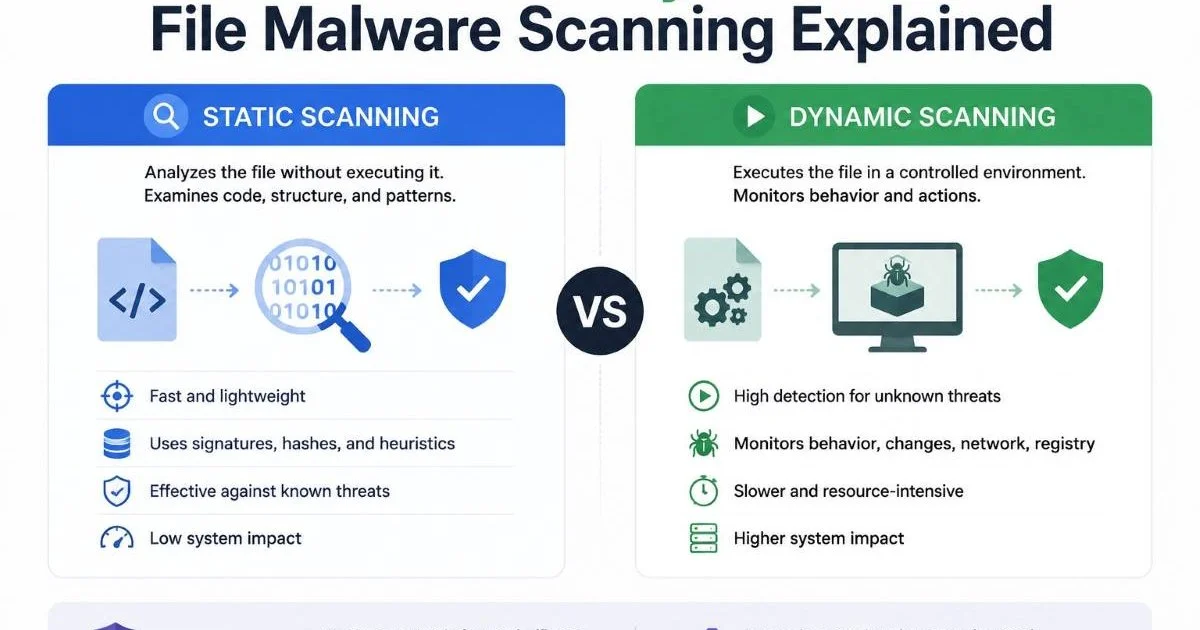
Static scanning examines file structure and code without execution, offering speed and low resource cost.
- Dynamic scanning runs files in sandboxed environments to observe real runtime behavior and detect evasion.
- Static analysis catches known malware signatures fast but struggles against obfuscated or polymorphic threats.
- Dynamic analysis reveals zero-day exploits but requires more time, compute, and careful sandbox configuration.
- Combining both methods in a layered pipeline produces the strongest file threat analysis coverage.
Your project has exceeded its monthly spending cap. Please go to AI Studio at https://ai.studio/spend to manage your project spend cap. Learn more at https://ai.google.dev/gemini-api/docs/billing#project-spend-caps.
What Static and Dynamic Scanning Actually Do
Static Analysis Breakdown
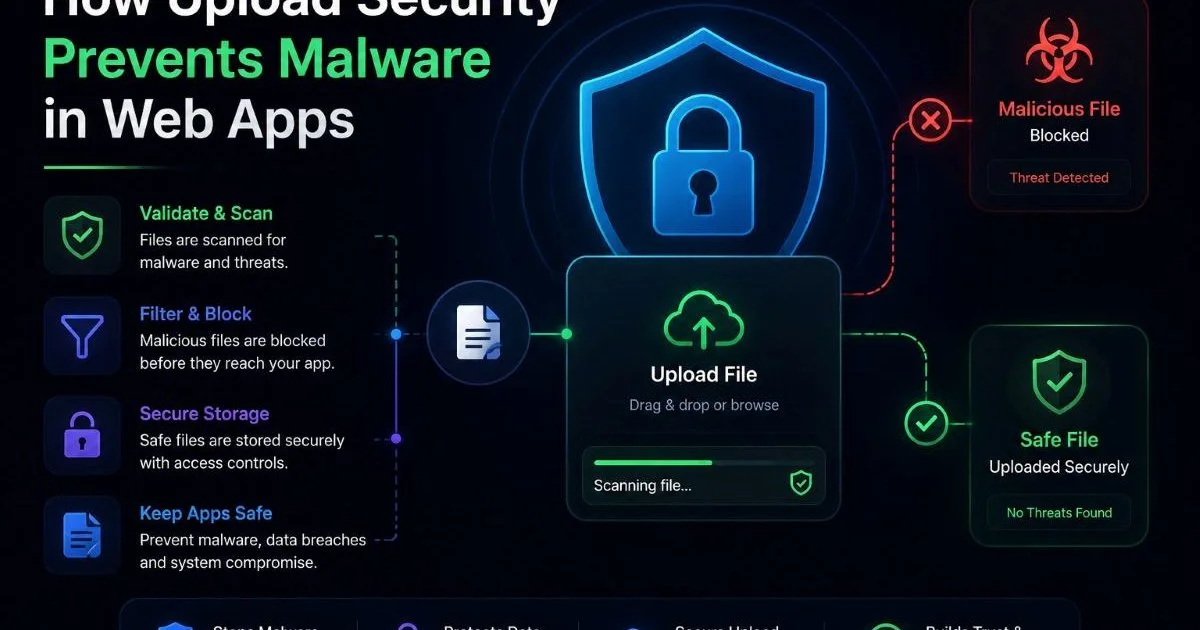
Static file scanning inspects a file's contents without ever executing it. The scanner reads binary headers, checks hash signatures against known malware databases, parses embedded scripts, and examines metadata. Think of it as reading a book's table of contents to decide whether the story is dangerous, without actually reading the full narrative. This approach is the backbone of most antivirus engines and forms the first line of defense in upload security systems that prevent malware in web apps.
Common static techniques include YARA rule matching, PE header analysis, string extraction, and entropy measurement. High entropy in a file section often signals packed or encrypted payloads. These methods are deterministic: given the same file, you get the same result every time. The approach parallels static analysis in code review, where source code is examined for vulnerabilities without running the program.
The limitation is clear. If malware authors obfuscate their code, use polymorphic techniques, or pack their payloads in novel ways, static scanners can miss the threat entirely. Signature databases need constant updating, and a brand-new malware variant with no known hash will pass right through. Despite this, static analysis remains indispensable because of its speed and predictability.
Dynamic Analysis Breakdown
Dynamic scanning takes the opposite approach. It executes the file inside a sandboxed environment (a virtual machine or container) and monitors what happens. Does the file try to modify registry keys? Does it reach out to a command-and-control server? Does it attempt privilege escalation? These runtime behaviors reveal malicious intent that no amount of byte-level inspection would catch.
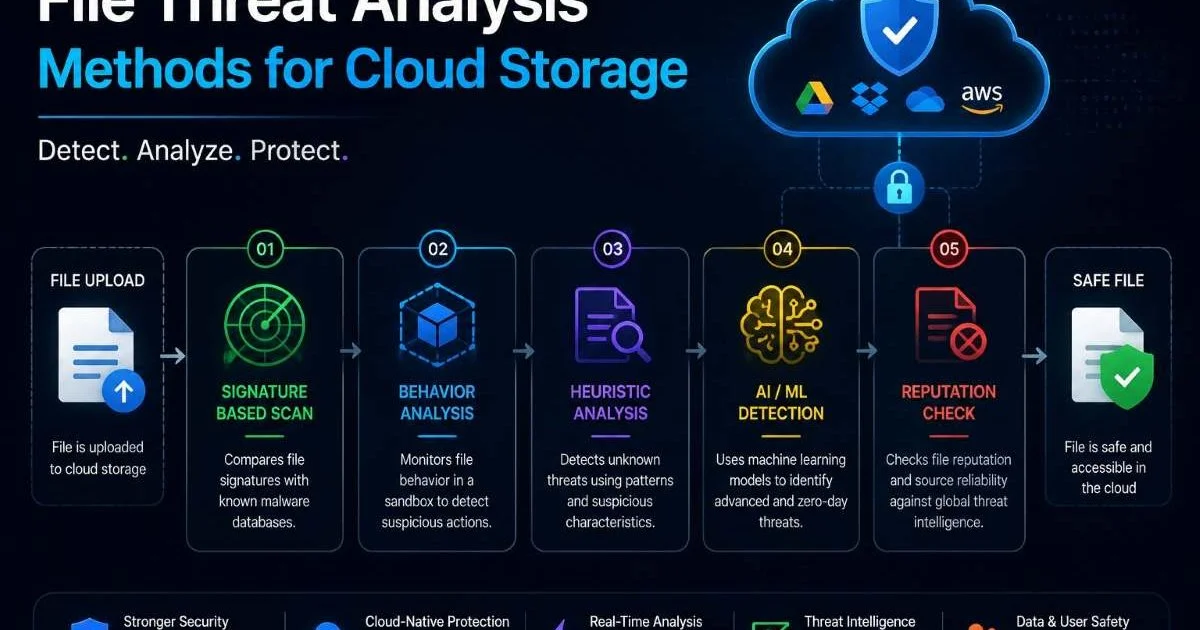
Tools like Cuckoo Sandbox, Joe Sandbox, and ANY.RUN are popular choices for dynamic analysis. They instrument the sandbox to capture API calls, network traffic, file system changes, and process creation events. The output is a behavioral report that security teams can review or that automated rules can evaluate. This is particularly valuable for file threat analysis in cloud storage environments where novel threats appear frequently.
However, sophisticated malware can detect sandbox environments. It might check for VM artifacts, monitor mouse movements, or delay execution for hours to outlast typical sandbox timeouts. This cat-and-mouse dynamic means that even dynamic analysis isn't foolproof. Building a resilient sandbox that resists detection requires significant engineering effort and ongoing maintenance.
Some malware families specifically check for common sandbox indicators like low memory, single-core CPUs, or the absence of recent user documents before executing their payload.
Static vs Dynamic File Detection Accuracy
When comparing static vs dynamic file scanning on detection accuracy, the results depend heavily on the threat landscape you're defending against. For known malware with established signatures, static analysis performs exceptionally well. Detection rates for known threats routinely exceed 95% when signature databases are current. The speed of this detection (often under a second) makes it ideal for high-volume file upload endpoints where latency matters.
Dynamic analysis shines where static falls short: zero-day exploits, polymorphic malware, and fileless attacks that only manifest during execution. In tests conducted by AV-TEST Institute, sandboxing-based solutions detected between 80% and 90% of previously unknown threats, a significant improvement over static-only approaches. The tradeoff is that you need to actually run the file, which introduces delay, resource consumption, and occasional false positives from benign programs that exhibit "suspicious" behavior.
The chart above tells a compelling story. Static scanning dominates for known signatures, but its effectiveness drops dramatically against obfuscated and novel threats. Dynamic scanning provides more consistent coverage across threat types, though it never reaches 100% either. For teams handling malicious file detection in email attachments, where attackers frequently use polymorphic payloads, relying solely on static analysis leaves a substantial gap.
"Static analysis tells you what a file looks like; dynamic analysis tells you what a file actually does."
It's also worth noting that false positive rates differ between the two approaches. Static scanners sometimes flag legitimate software that shares code patterns with known malware (especially packed commercial applications). Dynamic analysis can misidentify aggressive-but-benign software installers as threats. In both cases, human review or secondary verification helps reduce noise in production environments.
Performance, Cost, and Infrastructure
Static scanning is lightweight by design. A signature check or YARA rule scan requires minimal compute. You can process thousands of files per minute on modest hardware, making it an excellent fit for real-time upload scanning at the API gateway level. If you're building upload pipelines behind an API gateway, static scanning adds almost no latency to the request lifecycle. Memory and CPU requirements scale linearly with file volume, and the infrastructure is straightforward to manage.
Dynamic analysis is a different beast entirely. Each file needs its own sandboxed instance, often a full virtual machine or at minimum a hardened container. Execution times typically range from 60 seconds to 5 minutes per file, depending on configuration and the complexity of observed behavior. For high-throughput systems processing thousands of uploads per hour, this means maintaining a fleet of sandbox instances with proper orchestration, snapshotting, and cleanup.
| Criteria | Static Scanning | Dynamic Scanning |
|---|---|---|
| Average scan time per file | 0.1 to 2 seconds | 60 to 300 seconds |
| CPU/RAM requirement | Low | High (VM per file) |
| Infrastructure complexity | Simple (library/API call) | Complex (sandbox fleet) |
| Scalability cost | Linear, affordable | Steep, resource-intensive |
| Real-time suitability | Excellent | Poor for synchronous flows |
| Maintenance overhead | Signature DB updates | Sandbox hardening, evasion countermeasures |
The cost implications are significant. Running dynamic analysis at scale often requires dedicated cloud instances with nested virtualization support. Monthly infrastructure bills can easily run ten to fifty times higher than a comparable static-only setup. For many organizations, the practical approach is to use static scanning as a gatekeeper, only routing suspicious or inconclusive files to a dynamic analysis queue. This hybrid model balances thoroughness with budget reality.
Use static scanning as your synchronous check at upload time, then asynchronously queue files that pass static checks but have high entropy or unusual structures for dynamic analysis.
When to Use Each Approach
Best Fit for Static Scanning
Static scanning is your go-to for any system where speed and volume are primary concerns. Web applications accepting user file uploads, email attachment filtering at the gateway, and CI/CD pipeline artifact checks all benefit from the sub-second response times that static analysis provides. If your threat model primarily involves known malware families and you keep your signature databases updated hourly, static scanning handles the vast majority of threats effectively and affordably.
It also works well as a compliance checkbox. Many regulatory frameworks (PCI DSS, HIPAA) require malware scanning of uploaded files, and static analysis satisfies the requirement without the engineering overhead of a sandbox fleet. For small to mid-sized teams without dedicated security infrastructure, a static scanning API integrated at the application layer is often the most practical starting point for file security.
Never rely on static scanning alone for applications that handle high-value targets or sensitive data. Sophisticated attackers specifically design payloads to evade signature-based detection.
Best Fit for Dynamic Scanning
Dynamic scanning earns its keep in environments where the cost of a missed detection is catastrophic. Financial institutions, government agencies, healthcare systems, and any organization frequently targeted by advanced persistent threats should invest in dynamic analysis capabilities. When you're defending against nation-state actors or organized cybercrime groups, the ability to detect zero-day exploits and evasive malware justifies the infrastructure expense.
It's also the right choice for incident response and threat intelligence workflows. When your SOC team receives a suspicious file from a phishing report, running it through dynamic analysis produces actionable intelligence: which C2 servers it contacts, what persistence mechanisms it installs, and what data it attempts to exfiltrate. This behavioral data feeds back into your static rules, creating a virtuous cycle where dynamic discoveries improve future static detection rates.
The strongest posture combines both. Use static scanning as your fast, always-on first pass. Route flagged or ambiguous files to dynamic analysis asynchronously. Feed dynamic findings back into your static rules. This layered approach gives you the speed of static with the depth of dynamic, and it reflects how most mature security operations actually function in practice. The static vs dynamic file debate isn't about choosing one winner; it's about understanding where each method adds value in your specific architecture.
Frequently Asked Questions
?How do I add dynamic scanning without slowing down file uploads?
?Can YARA rules catch polymorphic malware that changes its hash?
?How much more compute does dynamic sandbox scanning cost vs static?
?Is it a mistake to rely on static scanning alone for user file uploads?
Final Thoughts
The static vs dynamic file scanning question doesn't have a single correct answer. Static analysis gives you speed, simplicity, and reliable detection of known threats. Dynamic analysis reveals the hidden behaviors that static methods miss. For most production systems, the optimal strategy layers both approaches: static scanning at the point of upload for immediate decisions, with dynamic analysis running asynchronously on files that warrant deeper inspection.
Build your pipeline around your actual threat model, budget, and performance requirements, and you'll have a malware detection system that genuinely protects your users and infrastructure.
Disclaimer: Portions of this content may have been generated using AI tools to enhance clarity and brevity. While reviewed by a human, independent verification is encouraged.