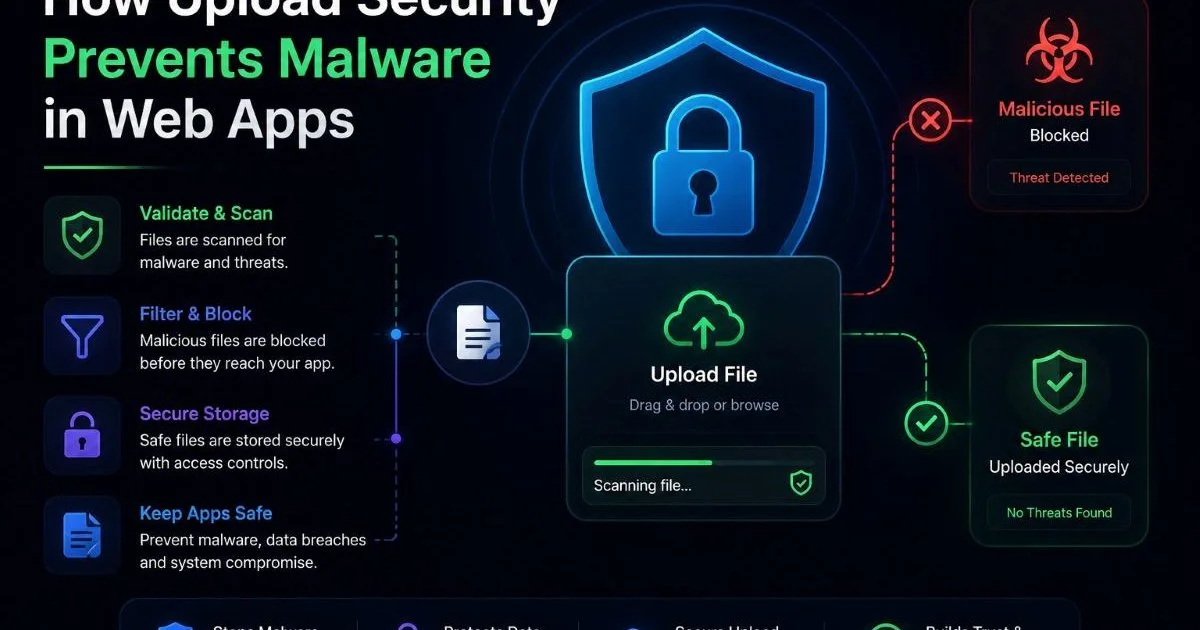
How upload security prevents malware in web apps is a question every development team should be asking right now. Every web application that accepts user-uploaded files opens a potential door for attackers. From profile pictures and PDF attachments to spreadsheets and compressed archives, each file represents a possible vector for malicious code execution, data exfiltration, or full system compromise.
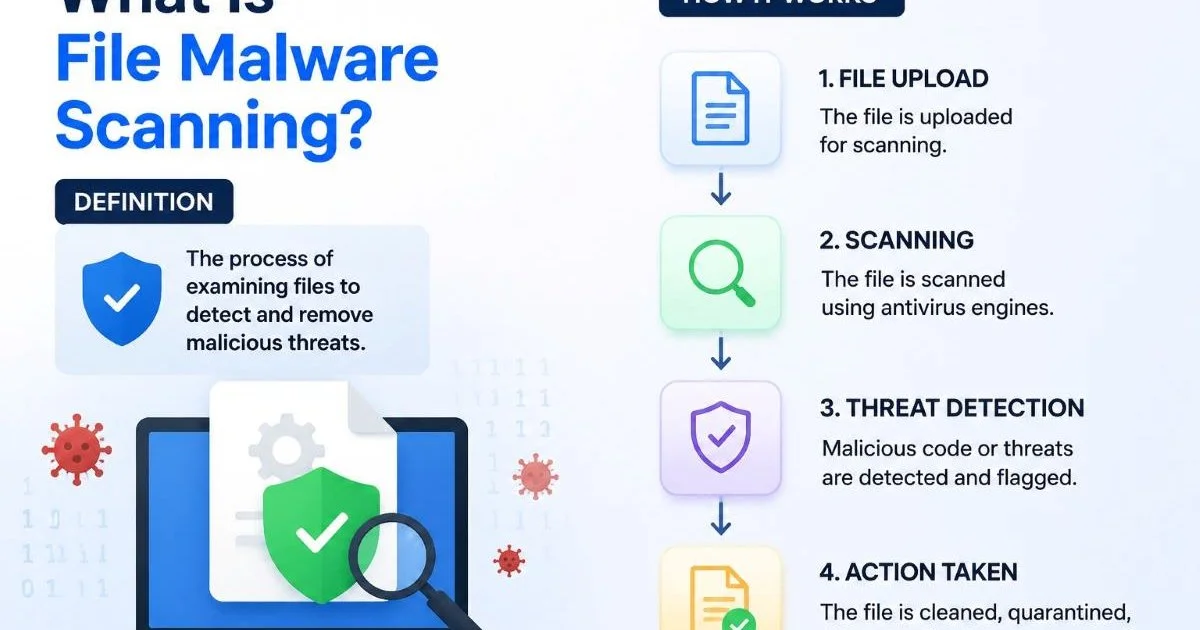
The stakes are high: a single infected upload can propagate ransomware across a network, steal credentials, or quietly install a backdoor. Understanding how file malware scanning works is a foundational step toward building resilient upload pipelines. This guide walks you through the practical steps to stop malware at the upload boundary, with specific techniques you can implement today.
Key Takeaways
- Every file upload endpoint is a potential malware entry point requiring active defense.
- Client-side validation alone never stops determined attackers from uploading malicious files.
- Combining signature-based and heuristic scanning catches both known and novel threats.
- Sandboxed execution environments reveal hidden malware behaviors that static analysis misses.
- Automated scanning integrated into CI/CD pipelines catches threats before production deployment.
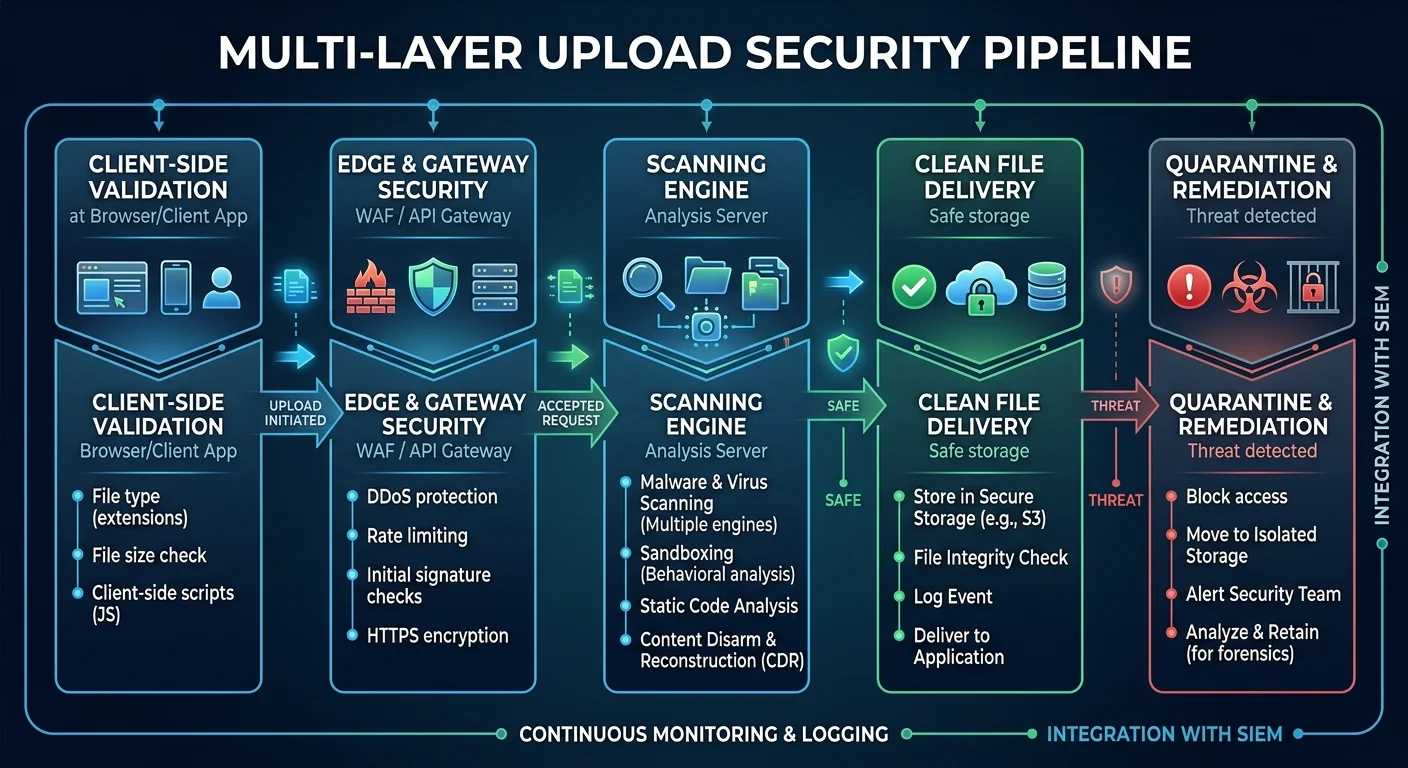
Step 1: Validate and Restrict File Inputs
Enforce Strict File Type Rules
The first line of defense in understanding how upload security prevents malware in web apps starts with input validation. Never trust the file extension alone. Attackers routinely rename executables with .jpg or .pdf extensions to bypass naive filters. Instead, inspect the file's magic bytes (the first few bytes of the file header) to verify the actual format. Libraries like Apache Tika for Java or python-magic for Python can perform this check reliably on the server side.
Build an allowlist of permitted MIME types rather than a blocklist of forbidden ones. A blocklist approach forces you to anticipate every dangerous format, which is a losing game. If your application only needs JPEG and PNG images, reject everything else at the server boundary. This principle of least privilege, applied to file types, dramatically reduces your attack surface before any scanning even begins.
Always validate MIME types server-side using magic byte inspection, not just the Content-Type header sent by the browser.
Limit File Size and Metadata
Set strict maximum file size limits appropriate to your use case. A profile picture upload has no business accepting a 500MB file. Oversized uploads can be used for denial-of-service attacks or to sneak large payloads past time-limited scanners. Configure these limits at both the web server level (nginx's client_max_body_size, for example) and within your application logic for defense in depth.
Strip or sanitize file metadata before storage. EXIF data in images can contain embedded scripts, and Office document metadata can reveal sensitive information or carry macro-based threats. Tools like ExifTool or custom processing scripts can remove unnecessary metadata fields. Renaming uploaded files with randomly generated identifiers also prevents path traversal attacks where an attacker crafts a filename like "../../etc/passwd" to overwrite system files.
Never store uploaded files in a publicly accessible directory with their original filenames. This invites path traversal and direct execution attacks.
Step 2: Implement Multi-Layer Malware Scanning
Signature-Based Detection
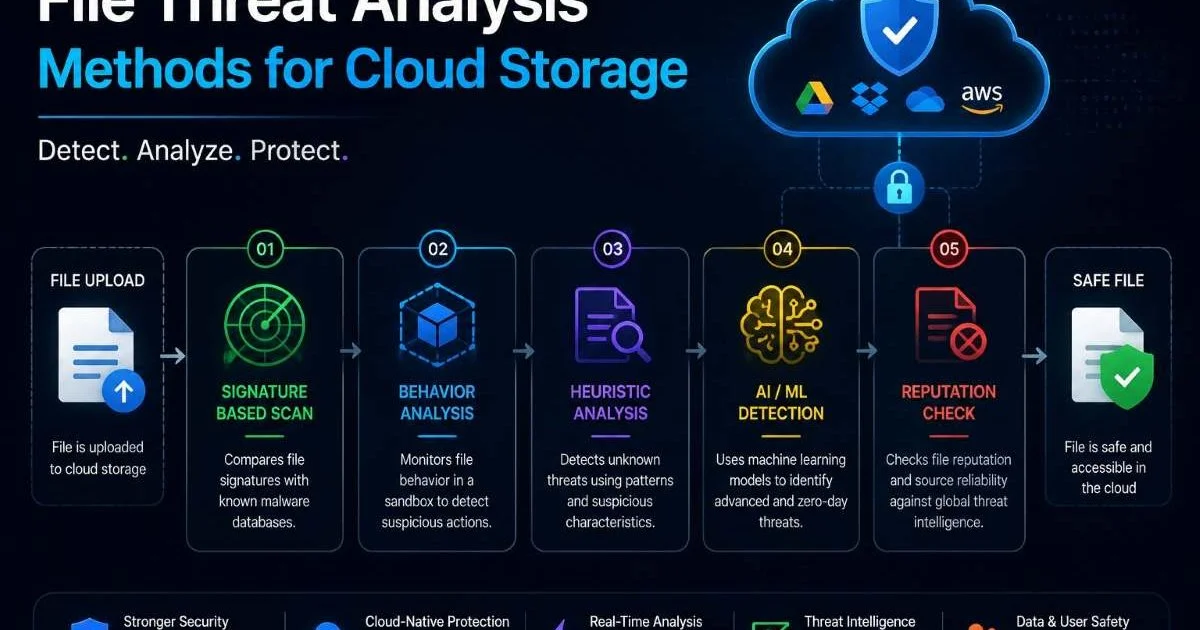
Signature-based malware detection remains the backbone of file threat analysis. This approach compares file contents against a database of known malware signatures, essentially digital fingerprints of previously identified threats. Tools like ClamAV provide open-source signature databases that are updated regularly. The strength of this method lies in its speed and reliability for catching known threats; it produces very few false positives when signatures are current.
The obvious limitation is that signature-based scanning cannot catch zero-day threats or heavily obfuscated malware. Polymorphic malware changes its code with each infection, generating a new signature every time. That is why relying solely on signature matching is insufficient. Think of it as the first filter in a series: it catches the bulk of known threats efficiently, but you need additional layers to handle what slips through.
Heuristic and Behavioral Analysis
Heuristic analysis examines a file's structure and code patterns to identify suspicious characteristics without needing an exact signature match. This technique looks for red flags like obfuscated JavaScript inside a PDF, macro code that attempts network connections, or executable code embedded within image files. Heuristic engines assign risk scores based on the number and severity of suspicious patterns found, providing a probabilistic assessment of malicious intent.
Behavioral analysis takes this a step further by observing what a file actually does when opened or executed. Does it try to modify system files? Does it attempt to contact an external command-and-control server? Does it spawn child processes? These runtime behaviors are far harder for malware authors to disguise than static code patterns. Combining both approaches with signature scanning gives you a comprehensive malware detection strategy that addresses known threats, suspicious patterns, and novel attack vectors simultaneously.
"A single scanning technique is never enough. Layered detection combining signatures, heuristics, and behavioral analysis is the only approach that handles the full threat spectrum."
Step 3: Isolate and Quarantine Suspicious Uploads
Sandbox Execution Environments
Understanding how upload security prevents malware in web apps requires appreciating the role of sandboxing. A sandbox is an isolated environment where uploaded files can be opened and executed without any risk to your production systems. Technologies like Docker containers, lightweight VMs, or purpose-built sandboxing tools like Cuckoo Sandbox provide this isolation. When a file is uploaded, it gets routed to the sandbox first, where its behavior is monitored for a defined analysis window.
The sandbox watches for indicators of compromise: unexpected network connections, file system modifications, registry changes (on Windows), privilege escalation attempts, and process injection. If the file exhibits any of these behaviors, it gets flagged immediately. Even sophisticated malware that checks for sandbox environments (a technique called sandbox evasion) can be caught by modern analysis tools that mimic realistic user activity and system configurations to fool the malware into revealing itself.
Some malware uses time-delayed execution to evade sandbox analysis. Configure your sandbox timeout to at least 5 minutes to catch delayed payloads.
Quarantine Workflows
Every upload that fails scanning or raises suspicion during analysis should be moved to a quarantine storage location. This is not a regular directory on your file server. Quarantine storage should be on an isolated volume with no execute permissions, restricted network access, and strict access controls limited to your security team. Quarantined files get encrypted at rest to prevent accidental execution by curious administrators.
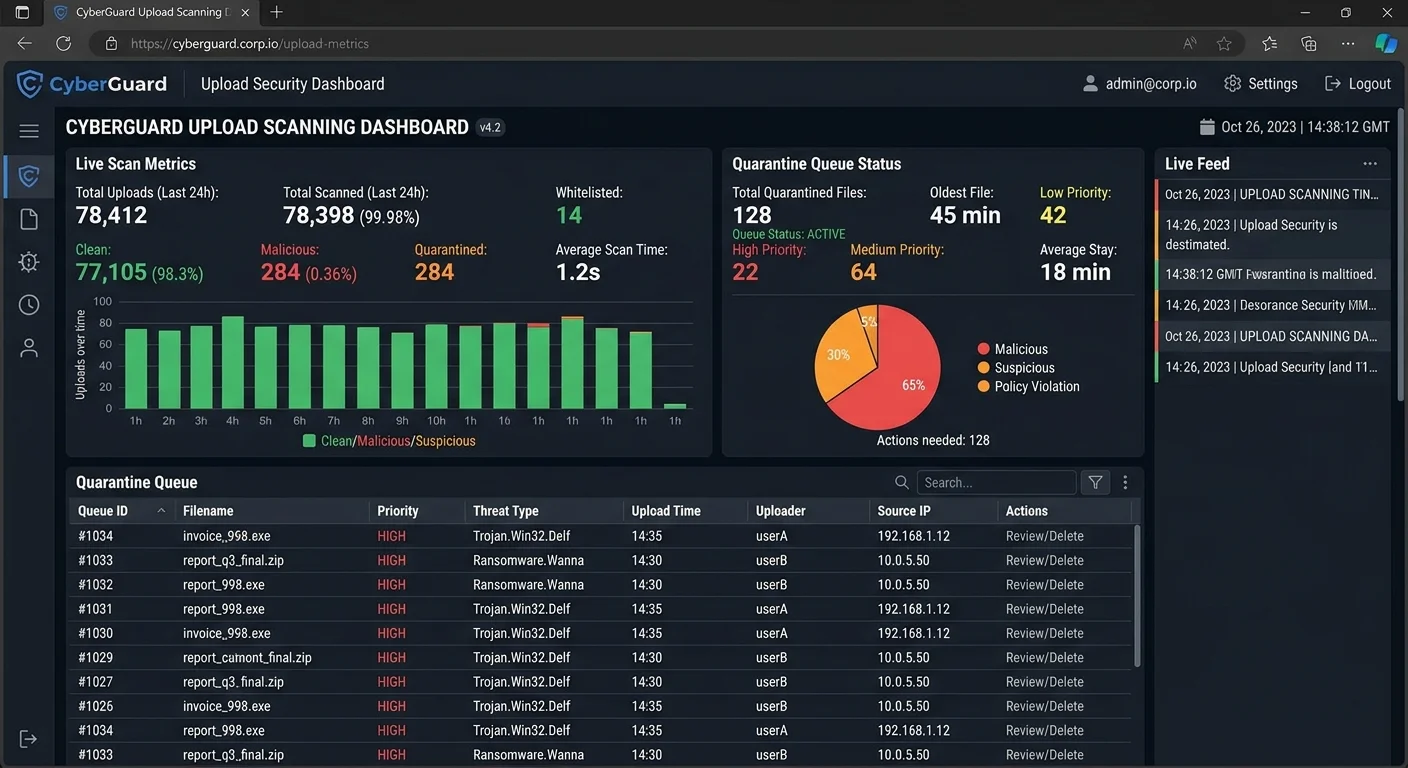
Build a review workflow around quarantined files. Automated scanning might flag a file as suspicious due to a false positive, so human review matters. Your security team should have a dashboard showing quarantined items, their scan results, the uploading user, and timestamp data. Legitimate files can be released after manual review, while confirmed malicious files get logged and deleted. This process also helps you improve your security-related code and detection rules over time based on real-world data from your own environment.
Step 4: Automate Scanning in Your Deployment Pipeline
CI/CD Integration Patterns
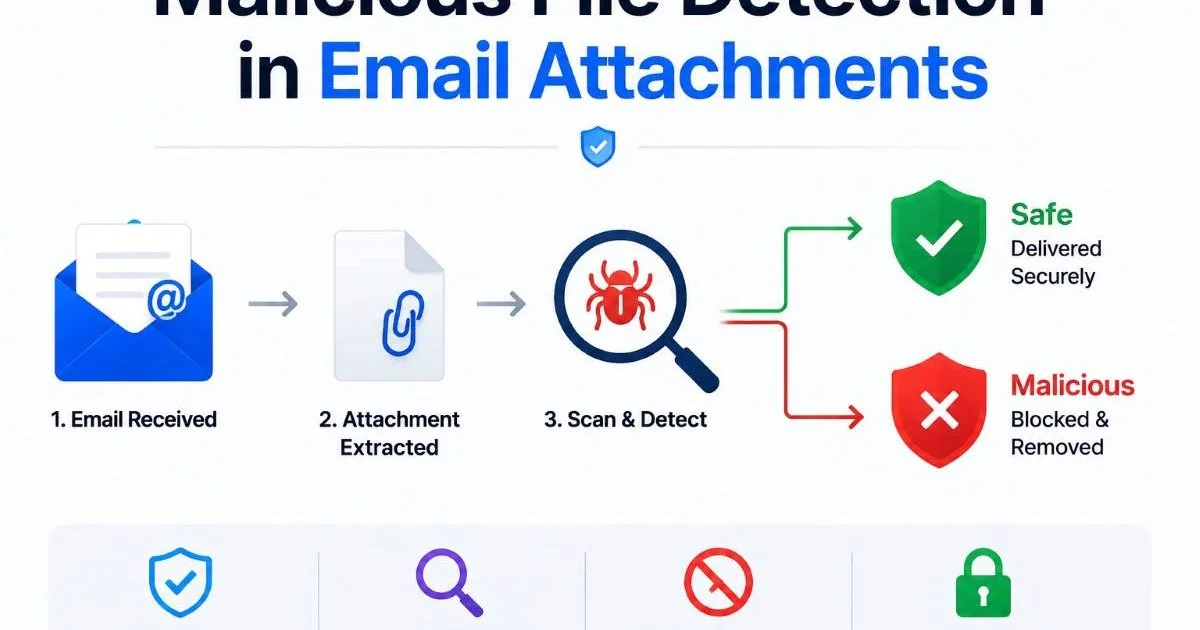
How upload security prevents malware in web apps depends heavily on consistency, and automation is how you achieve it. Integrate file scanning directly into your CI/CD pipeline so that every deployment includes updated scanning rules and every uploaded file passes through detection before reaching production storage. API-based scanning services make this straightforward: your upload handler sends the file to the scanning API, waits for the verdict, and only proceeds to store the file if it passes. Reviewing API security options for enterprises can help you choose the right integration approach.
Use webhook callbacks or polling mechanisms to handle asynchronous scan results without blocking your application's upload response. For high-throughput applications, implement a queue-based architecture where uploads land in a staging bucket, get scanned in parallel by worker processes, and only move to the production bucket after passing all checks. This pattern scales horizontally and keeps your user-facing upload flow responsive.
Store uploaded files in a temporary staging location with no public access until scanning completes. Never serve unscanned files to users.
Monitoring and Incident Response
Automated scanning generates valuable telemetry. Track metrics like scan volume, detection rates, false positive rates, average scan duration, and the most common threat categories. These numbers tell you whether your upload security posture is improving or degrading over time. Set up alerting thresholds so your team gets notified when detection rates spike, which might indicate a targeted attack against your application.
| Metric | Target Threshold | Alert Trigger |
|---|---|---|
| Scan completion rate | 99.9% | Below 99% |
| Average scan time | Under 3 seconds | Above 10 seconds |
| False positive rate | Below 0.1% | Above 0.5% |
| Detection rate (known malware) | Above 99.5% | Below 98% |
| Quarantine queue depth | Under 50 files | Above 200 files |
When a confirmed malicious upload is detected, your incident response plan should kick in automatically. Log the source IP, user account, upload timestamp, file hash, and scan verdict. Temporarily suspend the uploading account pending investigation. Notify your security operations team through your existing incident management platform. Cross-reference the file hash against threat intelligence feeds to determine if this is part of a broader campaign. This data becomes part of your organization's threat intelligence, strengthening your file detection capabilities for future uploads.
Frequently Asked Questions
?How do I implement magic byte inspection in Python?
?Is signature-based scanning enough, or do I need heuristic analysis too?
?How much does integrating malware scanning slow down CI/CD pipelines?
?Is stripping EXIF metadata really necessary for uploaded images?
Final Thoughts
How upload security prevents malware in web apps comes down to layered, automated defense at every stage of the file handling process. No single technique handles every threat. Combine strict input validation, multi-engine scanning, sandbox analysis, and quarantine workflows into a unified pipeline.
Automate everything you can, monitor what your automation catches, and refine your rules based on real incident data. Your users trust you with their uploads; make sure that trust is well placed by treating every file as potentially hostile until proven otherwise.
Disclaimer: Portions of this content may have been generated using AI tools to enhance clarity and brevity. While reviewed by a human, independent verification is encouraged.