Malicious file detection in email attachments remains one of the most pressing challenges for IT teams and developers building secure communication systems. Email is still the primary attack vector for malware distribution, with threat actors constantly refining their techniques to bypass traditional filters.
A single compromised attachment can lead to ransomware deployment, data exfiltration, or full network compromise. For security-conscious developers and IT admins, building robust detection pipelines isn't optional; it's a baseline requirement.
This guide walks through practical, numbered steps for implementing effective malicious file detection in email attachments, covering everything from understanding the threat landscape to deploying automated scanning at scale. If you're building or maintaining systems that process email, these steps will help you catch threats before they reach end users.
Key Takeaways
- Email attachments account for roughly 94% of malware delivery, making detection a top priority.
- Combining signature-based and behavioral analysis catches both known and zero-day threats effectively.
- Automated file scanning APIs reduce manual review burden and speed up incident response.
- Sandboxing suspicious attachments before delivery prevents detonation in production environments.
- Validating sender authenticity alongside attachment scanning significantly reduces false negatives.
Your project has exceeded its monthly spending cap. Please go to AI Studio at https://ai.studio/spend to manage your project spend cap. Learn more at https://ai.google.dev/gemini-api/docs/billing#project-spend-caps.
Step 1: Understand Common Email Attachment Threats
File Types That Carry Risk
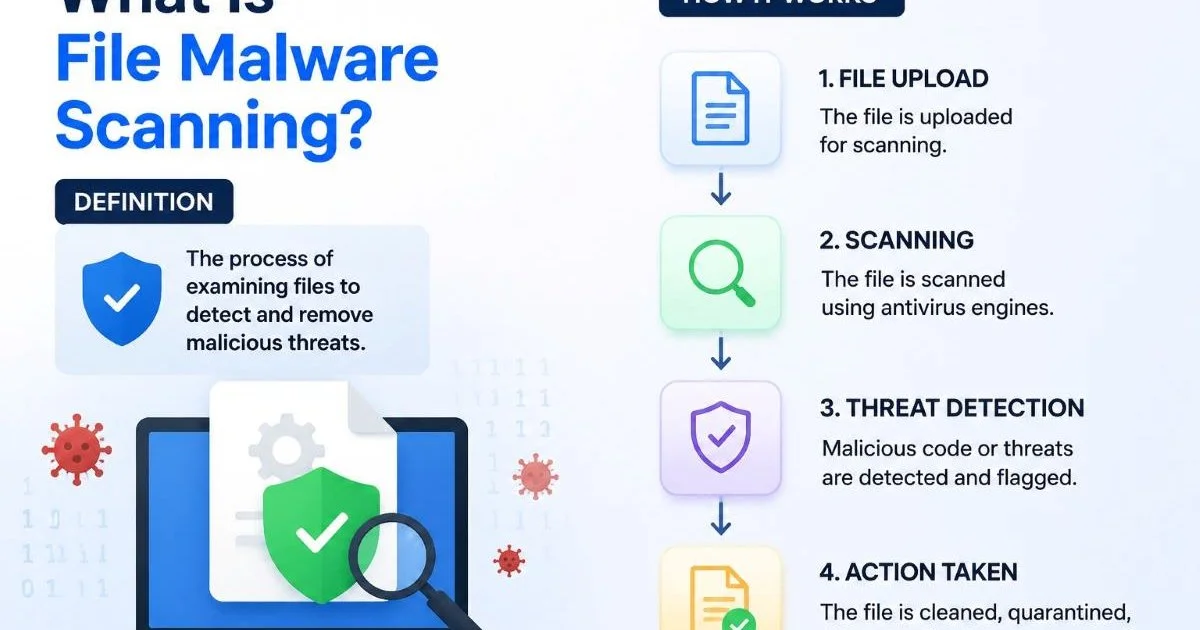
Before you can detect malicious files, you need to know what you're looking for. Not all file types carry equal risk. Executable files (.exe, .scr, .bat) are the most obvious culprits, but attackers increasingly hide malware inside Office documents (.docx, .xlsm) with embedded macros, PDFs with JavaScript payloads, and compressed archives (.zip, .rar, .7z) that obscure their contents. Understanding what file malware scanning is and how it works gives you the foundation for building effective detection.
ISO and IMG disk image files have also surged in popularity among attackers because many email gateways don't inspect them deeply. HTML attachments that redirect to phishing pages or trigger drive-by downloads are another growing concern. The key takeaway: your detection system must handle a wide variety of file formats, not just the obvious executables. A narrow focus creates blind spots that attackers will exploit immediately.
How Attackers Evade Basic Filters
Simple extension-based blocking is trivially easy to bypass. Attackers use double extensions (invoice.pdf.exe), right-to-left override characters in filenames, and password-protected archives where the password is included in the email body. Polymorphic malware changes its signature with every instance, defeating static signature databases. Understanding these evasion tactics helps you design detection layers that complement each other rather than relying on a single mechanism.
Always inspect the actual file MIME type rather than trusting the file extension. Extension spoofing is one of the oldest tricks in the book.
Steganography, where malicious code is embedded within image files, is another technique gaining traction. Macro-enabled documents often use obfuscated VBA code that downloads the actual payload only after execution, making the attachment itself appear benign to static scanners. Your threat model should account for these multi-stage attacks. If your scanning only checks the initial file without analyzing its behavior, you'll miss the payload entirely.
Step 2: Build a Multi-Layered Detection Pipeline
Signature and Heuristic Scanning
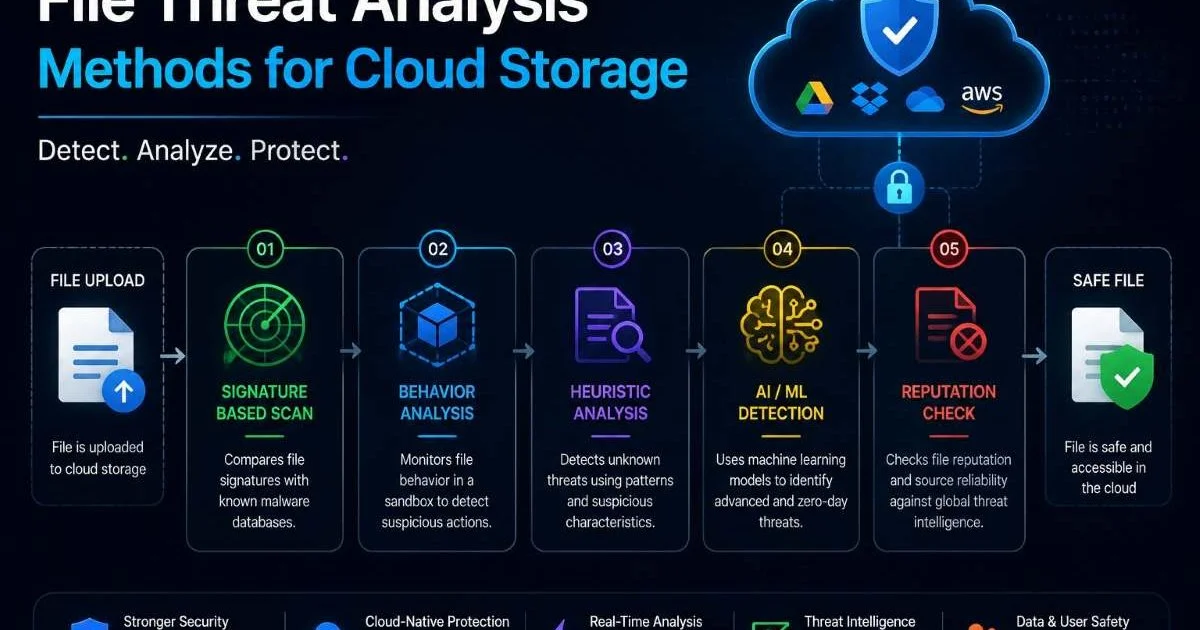
No single scanning method catches everything, which is why a layered approach is non-negotiable. Start with signature-based detection as your first layer. This compares file hashes against databases of known malware. It's fast, lightweight, and handles the bulk of commodity threats. However, signature scanning alone catches zero-day threats approximately 0% of the time. Layer in heuristic analysis that examines file structure, embedded objects, and code patterns to flag suspicious characteristics.
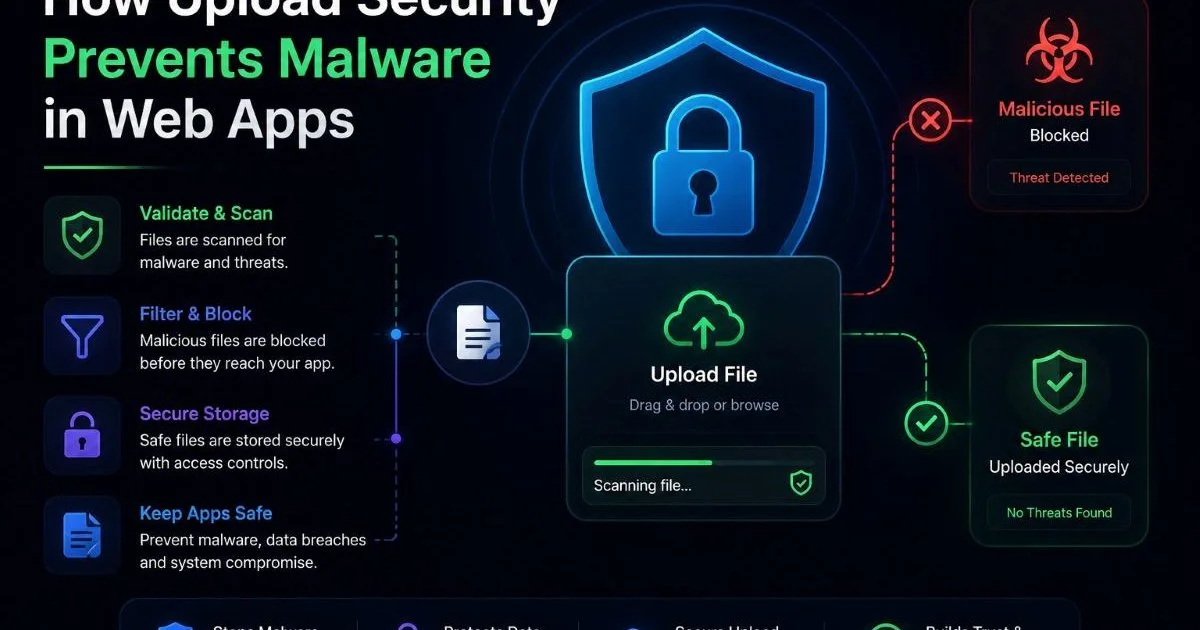
Heuristic engines look for red flags like obfuscated macros, unusual entropy levels in file sections, or embedded shellcode patterns. These rules don't require a known signature; instead, they identify behaviors and structures commonly associated with malware. For systems that handle file uploads in web applications, this same layered approach applies. The goal is to create overlapping detection zones so that if one layer misses a threat, another catches it.
Behavioral Analysis and Sandboxing
Behavioral analysis takes detection further by actually executing or emulating the file in an isolated environment. Sandboxing lets you observe what a file does when opened: does it spawn child processes, attempt network connections, modify registry keys, or try to escalate privileges? This approach is particularly effective against zero-day malware and sophisticated threats that pass static analysis cleanly. Most enterprise-grade email security solutions include sandbox capabilities for this reason.
"A signature database tells you what malware looked like yesterday. Behavioral analysis tells you what it's doing right now."
The trade-off with sandboxing is speed. Detonating a file in a virtual environment takes seconds to minutes, which introduces latency in email delivery. For time-sensitive communications, consider a tiered approach: deliver emails with low-risk attachments after quick static scans, but hold and sandbox anything that triggers heuristic warnings. This balances security with usability. The methods used for file threat analysis in cloud storage are directly applicable to email attachment pipelines as well.
Some advanced malware detects sandbox environments and remains dormant. Use sandboxes that mimic real user behavior, including mouse movements and application interactions, to counter evasion.
Step 3: Implement Automated Scanning for Email Attachments
API-Driven File Scanning
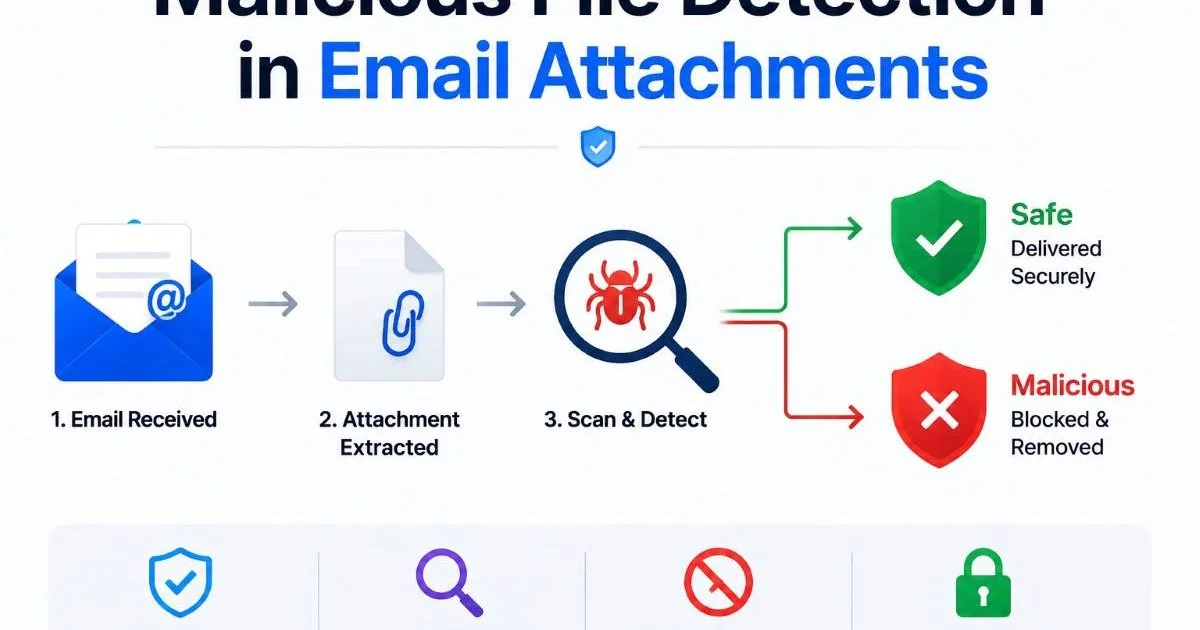
Manual review doesn't scale. For any organization processing more than a handful of emails, automated malicious file detection in email attachments is the only viable path. API-driven scanning services let you integrate detection directly into your mail processing pipeline. When an email arrives, your mail transfer agent (MTA) or application extracts attachments and submits them to a scanning API. The API returns a verdict, and your system acts accordingly: deliver, quarantine, or reject.
Tools like the Virus Scanner API make this integration straightforward for developers. You upload the file, receive a JSON response with threat indicators, and make routing decisions in your code. For real-time malware detection on file uploads, low-latency APIs are particularly valuable. The automation removes human bottlenecks and provides consistent, repeatable analysis across every attachment your system processes.
Validating Senders and Metadata
File scanning alone isn't sufficient. Pairing attachment analysis with sender validation dramatically improves detection accuracy. Verify that the sending domain has proper SPF, DKIM, and DMARC records. Check the sender's reputation against known spam and phishing databases. An email from a spoofed domain carrying a clean-looking PDF is still a threat. Using a reliable email verification API helps confirm sender legitimacy before you even inspect the attachment.
Metadata analysis adds another dimension. Examine email headers for routing anomalies, timestamp inconsistencies, and unusual originating IP addresses. Check whether the attachment filename matches patterns commonly used in phishing campaigns (e.g., "Invoice_2024.pdf.exe" or "Payment_Confirmation.zip"). Cross-referencing these signals with your file scanning results creates a composite risk score that's far more reliable than any individual check. This multi-signal approach is what separates adequate security from genuinely effective malicious file detection in email attachments.
Never rely solely on file extension blocking. Attackers routinely rename files or use lesser-known extensions that bypass allowlists.
Step 4: Monitor, Respond, and Iterate
Logging and Alerting
Deploying detection is only half the battle. Without comprehensive logging, you're flying blind. Every attachment scan should produce a log entry that includes the file hash, MIME type, scan verdict, sender information, recipient, and timestamp. Feed these logs into your SIEM or centralized logging platform. Set up alerts for high-severity detections, scan failures, and unusual patterns like a sudden spike in blocked attachments from a single domain.
Your logs also serve a forensic purpose. When a security incident occurs, you need to trace the attack chain back to the initial delivery. Which email carried the payload? When did it arrive? Did your scanner flag it, and if not, why? Having complete, searchable logs makes incident response faster and post-incident analysis more productive. Consider also logging clean verdicts, because today's clean file might match tomorrow's threat signature once databases update. Maintaining your infrastructure's visibility is just as important as keeping your technical configurations properly audited.
Retain file hashes for at least 90 days so you can retroactively check them against newly discovered threat signatures.
Tuning Detection Rules Over Time
Static security configurations degrade over time. Attackers adapt, file formats evolve, and your organization's email patterns change. Schedule regular reviews of your detection rules, ideally monthly. Analyze false positive rates: are legitimate attachments getting quarantined? That erodes user trust and creates workaround behavior. Similarly, investigate any malware that slipped through. Each miss is a learning opportunity to add a new heuristic rule or adjust sensitivity thresholds.
Threat intelligence feeds are invaluable for staying current. Subscribe to feeds that provide updated malware hashes, malicious domain lists, and emerging attack patterns. Integrate these feeds directly into your scanning pipeline so detection improves automatically. Also consider user reporting mechanisms. When employees flag suspicious emails that your system missed, treat each report as a detection gap to close. Malicious file detection in email attachments is not a set-and-forget capability. It requires ongoing attention, tuning, and investment to remain effective against evolving threats.
Frequently Asked Questions
?How do I handle password-protected archives in my scanning pipeline?
?Is sandboxing better than signature-based scanning for email attachments?
?How much latency does adding sandboxing add to email delivery?
?Does scanning attachments alone cover ISO and IMG file threats?
Final Thoughts
Effective malicious file detection in email attachments demands a multi-layered, continuously evolving approach. No single tool or technique provides complete protection, but combining signature scanning, heuristic analysis, sandboxing, sender validation, and robust logging creates a defense that catches the vast majority of threats.
Automate everything you can, log everything you process, and review your detection performance regularly. The attackers won't stop innovating, and neither should your defenses.
Disclaimer: Portions of this content may have been generated using AI tools to enhance clarity and brevity. While reviewed by a human, independent verification is encouraged.