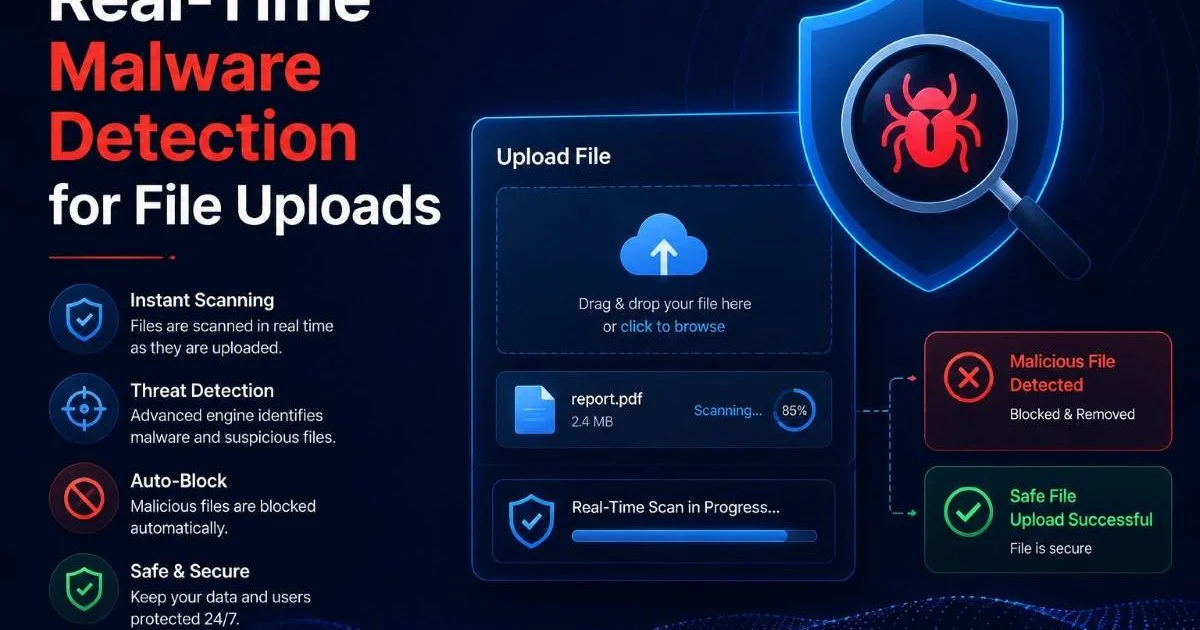
Real-time malware detection for file uploads is no longer optional for any application that accepts user-generated content. Whether you run a SaaS platform, a healthcare portal, or a simple contact form with attachments, every uploaded file represents a potential entry point for attackers. A single malicious PDF or disguised executable can compromise your entire infrastructure, expose customer data, and destroy trust overnight.
The threat landscape has shifted dramatically: polymorphic malware, zero-day exploits, and fileless attacks now bypass traditional antivirus tools with alarming regularity. For security-conscious developers and IT admins, building a robust scanning pipeline directly into the upload workflow is a baseline requirement, not a luxury.
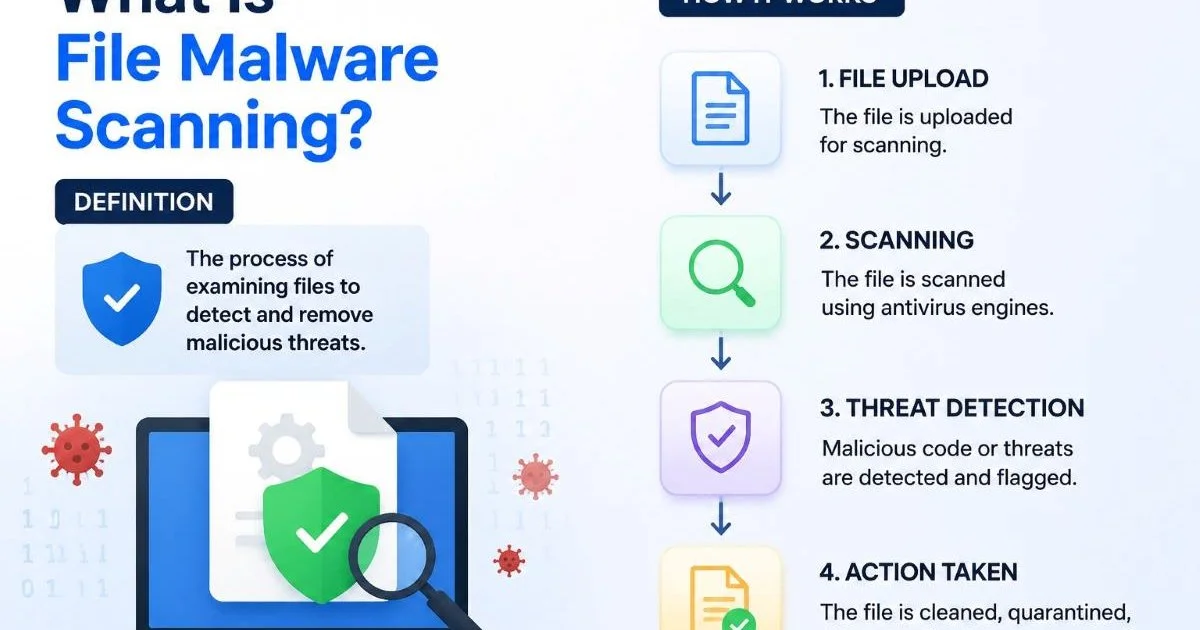
Understanding what file malware scanning is and how it works provides the foundation you need before implementing any detection system. This guide walks you through four concrete steps to get real-time malware detection for file uploads working in your stack today.
Key Takeaways
- Scan every uploaded file before it reaches your storage layer or application logic.
- Combine signature-based detection with heuristic and behavioral analysis for layered protection.
- Quarantine suspicious files automatically and alert your security team within seconds.
- Use asynchronous scanning queues to avoid degrading user experience during uploads.
- Regularly update detection rules and test your pipeline against new malware samples.
Step 1: Architect Your Upload Pipeline for Inline Scanning
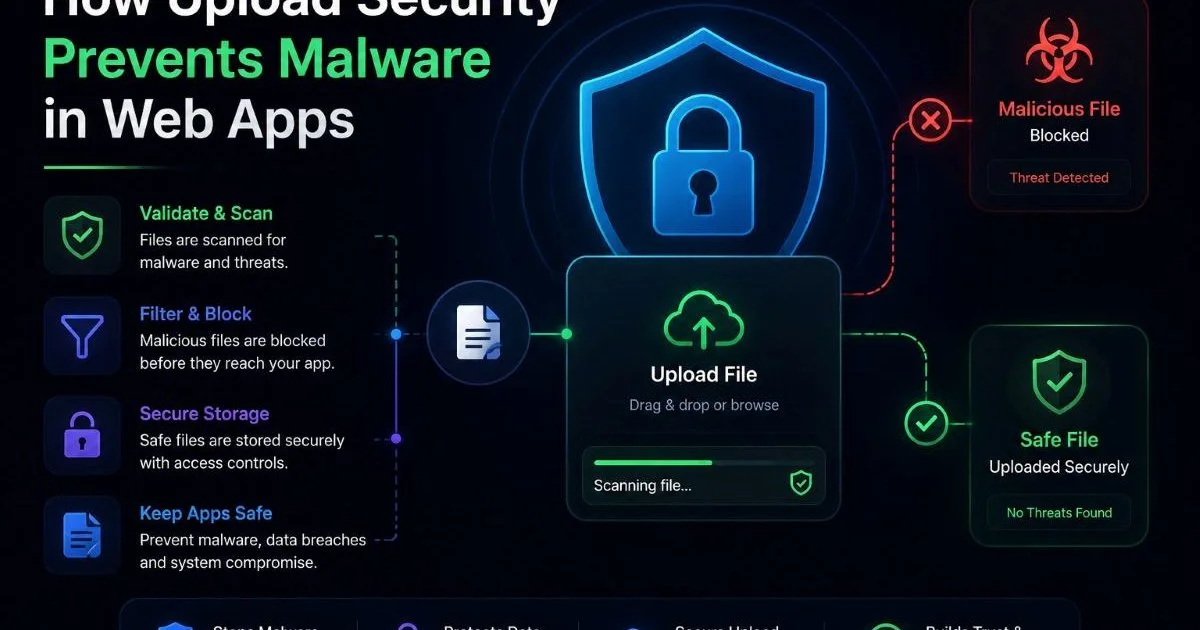
The first architectural decision is where scanning happens relative to storage. In a well-designed system, no uploaded file ever touches your permanent storage or gets processed by downstream services until it passes a malware scan. This means inserting a scanning layer between your upload endpoint and your storage backend (whether that is S3, Azure Blob, or a local filesystem). Think of it as a checkpoint: files arrive, get inspected, and only clean files proceed. Understanding how upload security prevents malware in web apps will help you design this checkpoint effectively.
At the network level, your upload endpoint should write incoming files to a temporary staging area. This staging area is isolated from production storage and has restricted permissions. A scanning service monitors this staging directory (or receives files via an API call) and returns a verdict. Only files marked clean get moved to their final destination. Files flagged as threats are routed to quarantine. This isolation pattern prevents a malicious file from ever being accessible to other users or systems.
Choosing Sync vs. Async Scanning
Synchronous scanning blocks the upload response until the scan completes. This works well for small files (under 10 MB) where scan times stay below two seconds. The user gets immediate feedback, and your application logic can reject the file in the same HTTP response. For APIs serving mobile apps or web forms with small attachments, synchronous scanning offers the simplest implementation path with clear pass/fail semantics.
Asynchronous scanning is the better choice for large files or high-throughput systems. The upload endpoint accepts the file, returns a 202 Accepted status, and places a scan job on a message queue (RabbitMQ, SQS, or Kafka). A pool of scanner workers picks up jobs, processes files, and posts results back via webhook or updates a status record in your database. The user can poll for results or receive a notification. This pattern scales horizontally and prevents upload timeouts.
Start with synchronous scanning for simplicity, then migrate to async when your upload volume exceeds 100 files per minute.
Step 2: Implement Multi-Layered Malware Detection
Signature and Heuristic Analysis
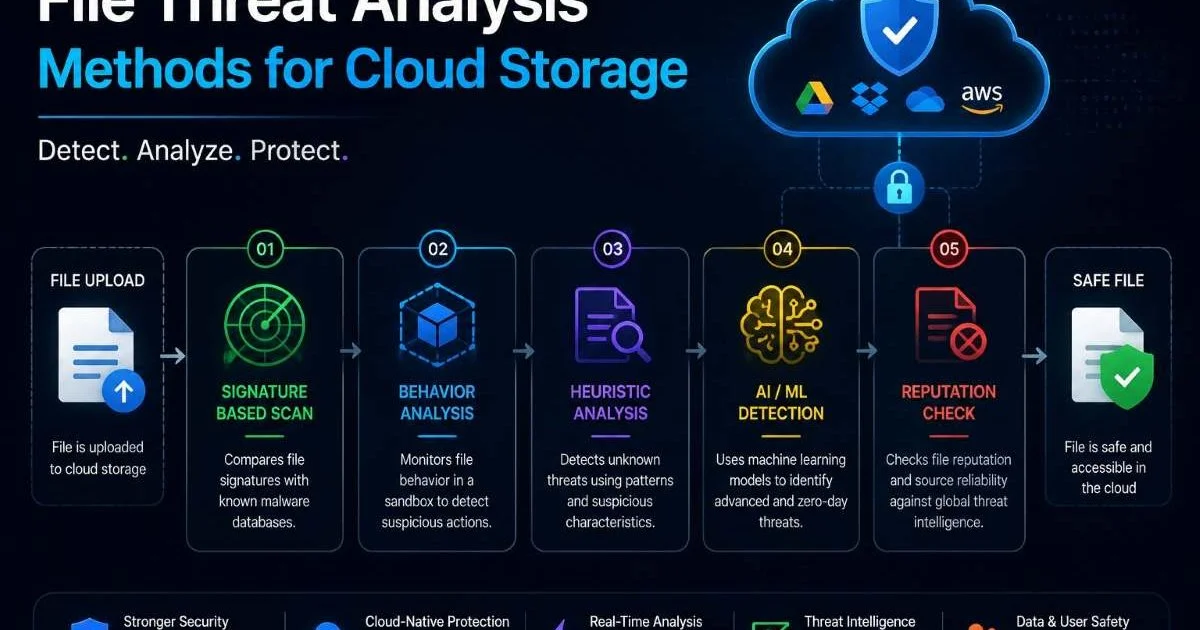
Signature-based detection matches file contents against a database of known malware hashes and byte patterns. It is fast, reliable for known threats, and produces very few false positives. ClamAV, the open-source antivirus engine, maintains a signature database updated multiple times daily and handles most common threats effectively. For production environments, pairing ClamAV with a commercial threat intelligence feed gives you broader coverage, including signatures for targeted attacks that open-source databases may miss.
Heuristic analysis goes beyond known signatures by examining file structure, embedded scripts, and suspicious patterns. A Word document with heavily obfuscated VBA macros, for instance, may not match any known signature but still triggers heuristic rules. This layer catches zero-day threats and polymorphic malware that mutates its code to avoid signature detection. Configuring heuristic sensitivity requires balancing detection rates against false positives; start with moderate sensitivity and tune based on your false positive logs over the first 30 days.
Behavioral Sandboxing
For high-risk upload contexts (financial documents, executable attachments, archives containing scripts), behavioral sandboxing adds a third detection layer. The file executes in an isolated virtual environment, and the sandbox monitors system calls, network connections, file system modifications, and registry changes. Tools like Cuckoo Sandbox or commercial alternatives such as Joe Sandbox automate this process. If the file attempts to contact a command-and-control server or drops a payload, the sandbox flags it immediately. The methods used in file threat analysis for cloud storage apply directly here.
Sandboxing adds latency (typically 30 to 120 seconds per file), so reserve it for file types with the highest risk profiles. You can implement a tiered approach: all files pass through signature and heuristic scanning, but only executables, archives, and macro-enabled documents get routed to the sandbox. This keeps your scanning pipeline efficient without sacrificing security for dangerous file types.
Sophisticated malware can detect sandbox environments and delay execution. Use sandbox evasion countermeasures like realistic user simulation and randomized environment fingerprints.
Step 3: Configure Quarantine, Alerting, and Response
Automated Quarantine Workflows
When your scanner flags a file, the response must be automatic. Relying on manual intervention introduces delay, and even a few minutes of exposure can be enough for malware to spread. Your quarantine workflow should move the flagged file to a locked-down storage location with no execute permissions, no public access, and strict IAM policies. Tag the file with metadata: scan timestamp, threat name, detection method, and the uploading user's identity. This metadata becomes critical for incident response and forensic analysis later.
Alerting should happen through multiple channels. Send a structured alert to your SIEM (Splunk, Elastic Security, or Sentinel) with full context about the detection. Simultaneously, push a notification to your security team's Slack or PagerDuty channel. For real-time malware detection for file uploads to be effective, the time between detection and human awareness must be measured in seconds, not hours. Include the file hash, threat classification, and a direct link to the quarantine record in every alert. This practice mirrors the approach used in malicious file detection for email attachments, where rapid response is equally vital.
| Field | Example Value | Purpose |
|---|---|---|
| File SHA-256 | a3f2b8c9... | Unique file identification |
| Threat Name | Trojan.GenericKD.46 | Classification for triage |
| Detection Method | Heuristic + Sandbox | Indicates confidence level |
| Upload User ID | user_8827 | Trace upload source |
| Timestamp (UTC) | 2024-11-15T09:42:03Z | Timeline for incident response |
| Original Filename | invoice_final.docm | Context for analyst review |
Beyond quarantine and alerting, define automated response actions. If the same user account uploads multiple flagged files, automatically suspend their upload privileges and escalate the alert. If a specific file type generates repeated detections, consider blocking that type at the upload endpoint temporarily. These automated responses reduce your mean time to containment and prevent attackers from iterating against your defenses. Similar principles of automated threat response apply to AI-powered detection systems in physical security, where speed of response directly correlates with threat mitigation.
Never delete quarantined files automatically. Retain them for at least 90 days for forensic investigation and potential law enforcement cooperation.
"The gap between detection and response is where breaches happen. Automate everything between those two points."
Step 4: Monitor, Test, and Iterate Your Detection System
Testing with Real Samples
A detection system you never test is a detection system you cannot trust. Schedule monthly testing using the EICAR test file (a standardized, harmless test string recognized by all antivirus engines) to verify your pipeline is functional end to end. Then go further: use curated malware sample repositories like MalwareBazaar or VirusTotal's academic dataset to test against real-world threats. Track your detection rates across file types and attack vectors. If your system misses a sample that other engines catch, investigate the gap and update your rules.
Build a dashboard that tracks key metrics: total files scanned, detection rate, false positive rate, average scan latency, and quarantine volume over time. A sudden spike in detections could indicate a targeted attack against your platform. A rise in false positives might signal that a recent signature update is too aggressive. These metrics give your team the visibility to make informed tuning decisions rather than reacting blindly to individual incidents.
Your detection rules and engine versions must stay current. Signature databases that are even 24 hours old miss new threats. Automate updates for ClamAV signatures (freshclam runs on a cron schedule), commercial feed subscriptions, and sandbox detection rules. Beyond updates, review your scanning configuration quarterly. New file formats emerge, attack techniques evolve, and your application's upload profile changes over time. Keeping your scanning infrastructure aligned with efficient code reuse practices helps your team maintain and update scanner integrations without duplicating effort across services.
Finally, conduct red team exercises against your own upload pipeline at least twice a year. Have your security team (or an external penetration testing firm) attempt to bypass your real-time malware detection for file uploads using techniques like file format confusion, polyglot files, and encrypted archives with delayed payloads. Document every finding, patch every gap, and retest. Security is iterative, and your detection system must evolve as fast as the threats it defends against.
Maintain a private repository of past quarantined samples (sanitized) to use as regression tests whenever you update your scanning engine.
Your project has exceeded its monthly spending cap. Please go to AI Studio at https://ai.studio/spend to manage your project spend cap. Learn more at https://ai.google.dev/gemini-api/docs/billing#project-spend-caps.
Frequently Asked Questions
?How do I set up a temporary staging area for uploaded files?
?Is synchronous scanning better than async for my use case?
?How much latency does inline malware scanning add to uploads?
?Can signature-based detection alone catch modern malware threats?
Final Thoughts
Real-time malware detection for file uploads requires thoughtful architecture, layered detection methods, automated response workflows, and continuous testing. No single scanning technique catches everything, which is why combining signatures, heuristics, and sandboxing delivers the strongest defense.
Build your pipeline so that no file reaches production storage without passing inspection. Monitor your metrics, test with real samples, and treat your detection system as a living component that demands regular attention. The effort you invest here protects your users, your data, and your reputation from threats that grow more sophisticated every day.
Disclaimer: Portions of this content may have been generated using AI tools to enhance clarity and brevity. While reviewed by a human, independent verification is encouraged.